Front office
Practitioners, Departments & Services
Every doctor, nurse and technician who acts on a record is a practitioner: a specialty, a department, a licence, a consultation fee and a login. The service catalogue is the price list every department bills from.
For:AdministrationHRMedical director
Where:Practitioners › Practitioners · Patients › Configuration › Departments · Service Catalogue
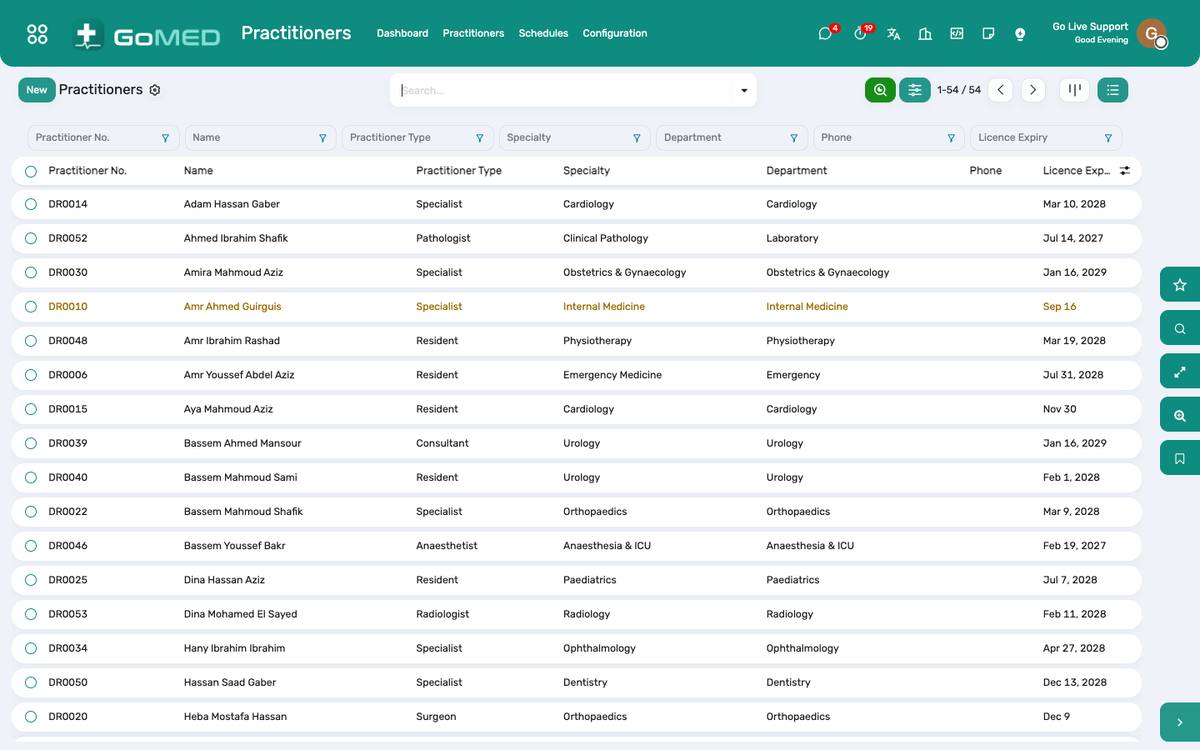
Practitioners by department and specialty, with their consultation service.
How to
Add a practitioner
- Practitioners › Practitioners › New.
- Name, specialty, department, licence number and expiry, phone.
- Choose the consultation service (the fee the desk charges for a visit with this practitioner).
- Link the user account so “My visits” and the doctor fee statement work: field User.
- Add the weekly schedule under Appointments › Schedules.
Create or retire a department
- Patients › Configuration › Departments › New; give it a code (used on reports and the queue screen) and a manager.
- Archive a department that closes; its history stays.
Maintain the service catalogue
- Patients › Configuration › Service Catalogue.
- Each service has a category, a kind (consultation, procedure, lab, radiology, bed, surgery), the standard price and the product it posts to in accounting.
- Payer tariffs are set on the payer’s pricelist under Insurance, not here.
- A service used by the laboratory or radiology is linked from its test or exam, so ordering it charges it.
Track licences and credentials
- Practitioners › Credentials: licence, board certification, BLS/ACLS, with expiry dates.
- The dashboard lists credentials expiring in 60 days; an activity is raised for HR.
Publish a doctor in the online directory
- Practitioner › Website tab: tick Published and Accepts online booking.
- Fill the academic title (Professor, Assistant Professor, Lecturer, Consultant, Specialist, Resident), practising since, spoken languages, the conditions and procedures treated, education, biography, the insurers accepted and video consultations.
- The photo is the practitioner’s contact photo; without one the site shows a neutral silhouette.
- The directory at /doctors and the app filter on all of these; the rating and the average wait fill themselves from visits.
Moderate patient reviews
- After a finished visit the patient rates the doctor, the clinic and the assistant, ticks highlights and comments, from the portal or the app.
- Practitioners › Patient Reviews: new reviews wait as Pending; Publish or Hide them. Settings › Doctors’ Directory › Publish reviews without approval skips the wait.
- Only published reviews count in the doctor’s rating.
See also: Appointments, Queue & Teleconsultation Bills, Charges & Cashier Staff, Roster, Attendance & Payroll